


10 Best AI Photo Editors for Batch Product Photos (2026)
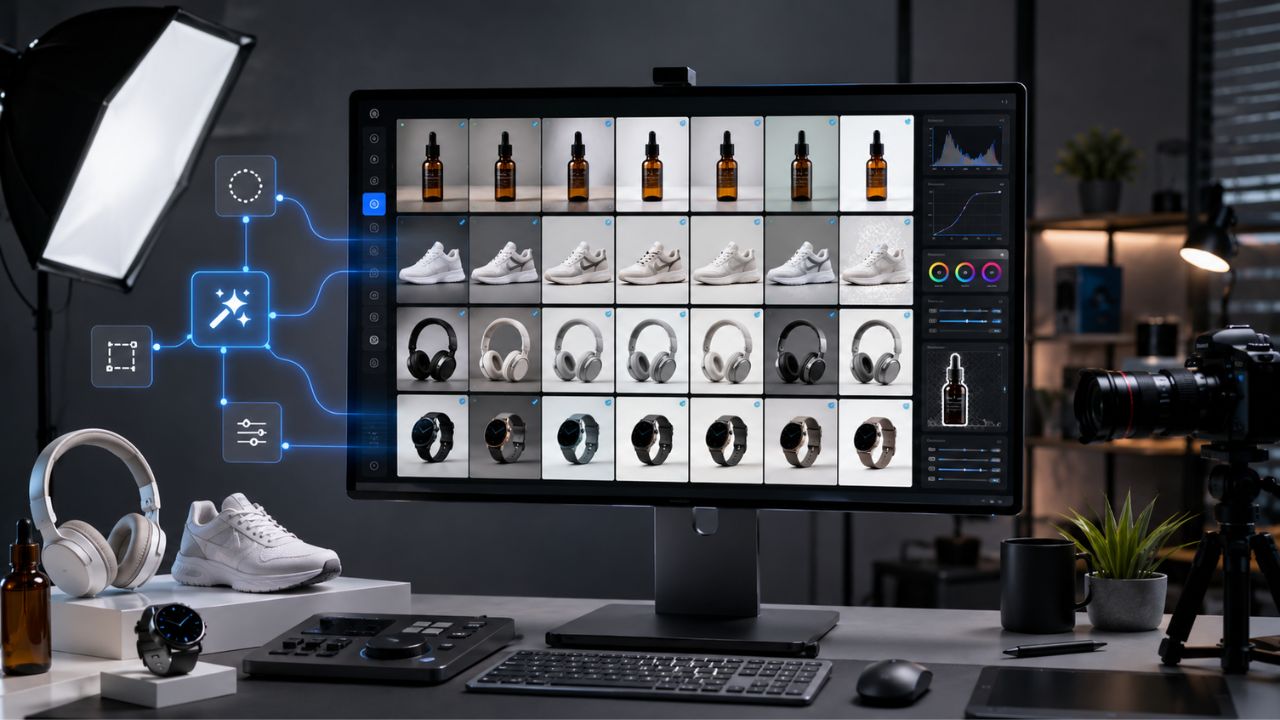
In the fast-paced world of e-commerce, your product images act as your digital storefront and your most persuasive salespeople. While a single stunning image can easily capture a customer's attention, the real challenge for growing brands is maintaining that exact level of high quality across thousands of different SKUs. Manually removing backgrounds, color-correcting dull lighting, and adding realistic drop shadows to hundreds of photos is a massive drain on your time and operational budget. This is exactly why finding the Best AI Photo Editors for Product Photo Batch Edits has become an absolute necessity for online retailers and agencies in 2026.
The landscape of artificial intelligence in photography has shifted dramatically over the past year. We have moved far beyond simple, jagged background removers and entered a new era of "generative" bulk processing. Today's advanced software can take a flat, poorly lit warehouse photo and seamlessly transport it into a hyper-realistic lifestyle scene, and then replicate that exact lighting and shadow setup across your entire catalog in a matter of seconds. If you want to increase your conversion rates while drastically cutting your post-production costs, you need to rely on the right automation software. In this comprehensive guide, we will break down the top 10 platforms that are revolutionizing bulk image processing this year.
1. Photoroom: The Ultimate E-commerce Favorite
When it comes to processing massive product catalogs quickly, Photoroom stands out as a highly reliable platform for online sellers in 2026. This software is specifically built from the ground up to handle the demanding, high-volume workflows of modern online stores. By automating tedious tasks like background removal and applying realistic drop shadows, it ensures that your marketplace listings look clean, professional, and completely consistent. The platform's seamless blend of a mobile-first app and a robust desktop web interface means you can shoot a product on your phone and have it instantly batched and formatted for your Shopify store. It is widely considered one of the Best AI Photo Editors for Product Photo Batch Edits for small to medium businesses.
Why Photoroom Excels in Bulk Processing
Photoroom allows users to batch process hundreds of images at once, automatically applying standardized, marketplace-ready templates (like Amazon's strict white background rules) with incredible precision. Its AI understands complex product edges, such as transparent glass or fine jewelry, preventing the awkward cutouts that often plague older editing tools.
Feature
Detailed Information
Batch Capacity
Up to 250 images simultaneously
Ideal User
Independent sellers, mobile-first creators, Amazon/Shopify merchants
Standout AI Tool
Instant background swap and hyper-realistic shadow casting
Pricing Model
Free tier available; Pro plan starts around $9.99/month
2.Claid.ai: The API Automation Powerhouse
For enterprise-level operations and massive online marketplaces, manual uploading and downloading simply does not work efficiently. Claid.ai steps in to solve this exact bottleneck by offering a highly scalable, developer-friendly infrastructure designed to automate your entire visual pipeline. This platform focuses heavily on photorealistic quality, ensuring that while the background might be AI-generated, the actual product remains completely accurate to what the customer will receive in the mail. By integrating Claid.ai directly into your backend system, new vendor uploads can be automatically color-corrected, upscaled to crisp 4K resolution, and aligned without any human intervention.
Scaling Up with Claid.ai Integration
Claid.ai goes beyond simple visual edits; its AI Photoshoot feature can generate full seasonal campaigns by placing your items into customized scenes. For fashion retailers, it even offers AI models to replace flat-lay clothing shots, dramatically reducing the need for expensive human photoshoots.
Feature
Detailed Information
Batch Capacity
Virtually unlimited via API integration
Ideal User
Large marketplaces, high-volume brands, and developer teams
Standout AI Tool
Automated API workflows and AI fashion model generation
Pricing Model
Subscription plans starting from $19/month
3. Nightjar: Master of Visual Consistency
One of the biggest problems with AI image generation is "visual drift," where every image looks slightly different in lighting or tone, ruining your website's grid layout. Nightjar approaches this problem uniquely by extracting the specific "visual DNA" from a handful of your absolute best reference photos. Once it learns your brand's specific lighting, camera angles, and color grading, it securely locks those parameters in for all future batch edits. This means that an item you shoot and process in December will match perfectly with the aesthetic of the items you processed back in June.
Preserving Brand DNA Across Catalogs
Nightjar is strictly built for e-commerce, meaning it will never hallucinate random details or warp your product's logo. If you need to generate multiple color variants of a single t-shirt using exact hex codes while maintaining the exact same realistic fabric folds, this tool handles it flawlessly.
Feature
Detailed Information
Batch Capacity
High-volume processing with locked visual styles
Ideal User
Design-conscious brands with catalogs of 50+ products
Standout AI Tool
"Photography Styles" workflow and precise Color Variants
Pricing Model
Pay-per-image subscription (roughly $0.10 per image)
**4.Autophoto.ai: Blueprint-Driven Bulk Editing
If your commercial studio shoots hundreds of items a week, maintaining consistency and speed are your primary metrics for success. Autophoto.ai operates entirely on a smart "Blueprint" system, allowing art directors to set specific rules for image margins, background colors, and basic retouching just once. After the blueprint is saved, the software applies these exact rules to folders containing thousands of images automatically. It acts as an invisible, tireless assistant that preps your raw files for immediate web publishing. This makes it a formidable contender among the Best AI Photo Editors for Product Photo Batch Edits for industrial-scale photography studios.
Custom Workflows for Commercial Studios
The platform requires zero coding knowledge to set up and deploy. You visually set up your desired outcome, and the AI handles the repetitive execution. It is particularly effective at aligning products so that they sit exactly at the same eye level across a category page, creating a highly satisfying shopping experience.
Feature
Detailed Information
Batch Capacity
Capable of processing 5,000+ images in a single run
Ideal User
Commercial photography studios and enterprise e-commerce
Standout AI Tool
No-code customized editing Blueprints
Pricing Model
Volume-based enterprise pricing
5. Spyne AI: 360-Degree Virtual Studio
Modern shoppers want to interact with products before they click the buy button, especially in high-ticket categories like automotive, furniture, or footwear. Spyne AI sets itself apart by not just editing static images, but by transforming standard photos into highly interactive 360-degree spins and short video tours. You simply capture the product from various angles, and the AI stitches them together, cleans up the reflections, and places the item in a premium virtual studio. This level of engaging interaction has been proven to significantly lower return rates and boost buyer confidence.
Interactive Product Displays
Spyne's virtual studio allows you to dial in the exact level of retouching, shadow intensity, and floor reflections you want to showcase. Once you configure these visual settings, workflows can be reused endlessly across your team, ensuring a standardized, premium look for every listing.
Feature
Detailed Information
Batch Capacity
Bulk uploads configured to specific studio settings
Ideal User
Car dealerships, shoe brands, and furniture retailers
Standout AI Tool
Automated 360° interactive spins and 3D modeling
Pricing Model
Custom pricing based on business volume
6. Pebblely: Instant Lifestyle Backgrounds
Sometimes, a stark white background is simply not enough to sell the "feeling" or vibe of a specific product. Pebblely excels at taking boring packshots and generating beautiful, contextual lifestyle backgrounds around them in mere seconds. If you sell a coffee mug, Pebblely can easily place it on a rustic kitchen counter with warm morning sunlight streaming in. The tool is incredibly intuitive and lightweight, making it a massive favorite for small business owners who need fresh social media content and ad creatives without renting physical studio space.
Creative Freedom at Scale
With over 40 ready-to-use themes and the ability to input custom text prompts, Pebblely offers unmatched creative flexibility. You can upload 20 different products and instruct the AI to place all of them in a "summer beach setting," and the batch editor will generate unique, themed photos for your entire summer campaign.
Feature
Detailed Information
Batch Capacity
Moderate volume bulk processing for ad campaigns
Ideal User
Social media managers, DTC brands, and small businesses
Standout AI Tool
Text-to-image lifestyle scene generation around a static object
Pricing Model
Starts around $19/month for premium bulk features
7. Evoto AI: Perfect for Model and Lifestyle Shots
When your product photography involves human models—such as clothing, jewelry, or cosmetics—standard batch editors often fall short because they cannot handle complex skin tones properly. Evoto AI bridges this gap seamlessly. It is a professional-grade desktop software that combines high-end portrait retouching with incredibly powerful batch automation. You can smoothly remove blemishes, correct harsh studio lighting, and eliminate stray hairs on one image, and then automatically sync those exact adjustments across the entire photoshoot.
Portrait Retouching Meets Batch Syncing
By tethering directly during a studio shoot, professional photographers can apply these AI edits in real-time. This guarantees that your apparel and the models wearing them look flawless and natural, significantly cutting down post-production time before a major catalog launch.
Feature
Detailed Information
Batch Capacity
Sync edits across hundreds of raw files instantly
Ideal User
Fashion brands, cosmetic companies, and portrait studios
Standout AI Tool
AI skin retouching and advanced color syncing
Pricing Model
Pay-per-export credit system
8. WizStudio: The B2B Wholesaler's Choice
Wholesalers and distributors often deal with massive, unglamorous catalogs that need a quick, professional face-lift to appeal to B2B buyers. WizStudio by WizCommerce is designed specifically for this exact market, focusing heavily on turning raw, supplier-provided photos into catalog-ready visuals. It drastically reduces the bloated cost of traditional photography by offering bulk background removal, AI relighting, and simple API integrations that sync directly with your existing inventory management software.
Cost-Effective Catalog Generation
WizStudio claims to make visual creation up to 20 times cheaper than booking traditional photoshoots. It also supports the rapid generation of AI-powered motion shots, giving wholesale buyers a much clearer understanding of the product's texture and scale before they place a bulk order.
Feature
Detailed Information
Batch Capacity
High-volume catalog updates via bulk upload
Ideal User
Wholesalers, distributors, and large B2B retailers
Standout AI Tool
Fast lifestyle video generation and Shopify syncing
Pricing Model
Credit-based, starting around $250 for large volume packs
9. Luminar Neo: Advanced Lighting and Relighting
While traditionally favored by landscape and wedding photographers, Luminar Neo has aggressively pushed into the commercial e-commerce space in 2026. Its absolute standout feature is its ability to build a 3D depth map of your 2D product photo. This allows the software's advanced "Relight AI" to intelligently change the lighting of a scene after the photo has already been taken. If your warehouse lighting was too dim, Luminar Neo can simulate a studio strobe hitting the front of your product while keeping the background naturally darker.
Studio-Quality AI Control
Because it functions as a standalone desktop application, Luminar Neo allows for non-destructive, layer-based batch processing. You can create a preset that brightens the subject, sharpens the details, and cleans up the background, and then apply that preset to an entire folder of RAW images without losing any data. It easily ranks among the Best AI Photo Editors for Product Photo Batch Edits for those who prefer manual control mixed with generative AI power.
Feature
Detailed Information
Batch Capacity
Desktop-based folder syncing and preset application
Ideal User
Professional photographers and in-house creative teams
Standout AI Tool
Relight AI and advanced object masking
Pricing Model
One-time purchase or annual subscription options
10. Fotor: Speed and Simplicity Combined
Not every e-commerce store has a dedicated design team on staff, and sometimes you just need quick, reliable fixes without navigating a complex interface. Fotor is an incredibly popular web-based tool that prioritizes workflow speed and ease of use. Its batch editing dashboard is wonderfully straightforward: just drag and drop your files, select your AI enhancements (like auto-brightness, background removal, or cropping to a specific marketplace aspect ratio), and hit export.
Fast Fixes for Growing Stores
Fotor is ideal for online sellers who frequently source products from various dropshipping suppliers and need to unify the look of the images before uploading them to their store. By applying a consistent filter, watermark, and crop size in bulk, Fotor helps maintain a tidy, highly trustworthy storefront layout.
Feature
Detailed Information
Batch Capacity
Up to 100 images per batch on the web interface
Ideal User
Dropshippers, beginners, and fast-paced marketing teams
Standout AI Tool
One-click auto-enhance and bulk watermarking
Pricing Model
Free tier available; Pro+ plans starting around $23.99/month
Final Thoughts
Scaling an online store requires working smarter, not harder. Relying on manual pixel-pushing in outdated software is a frustrating bottleneck that will ultimately stunt your brand's financial growth. By adopting the Best AI Photo Editors for Product Photo Batch Edits, you can ensure that your entire visual catalog remains sharp, consistent, and highly engaging for your target audience.
Whether you need the developer-focused API tools of Claid.ai, the creative lifestyle generation of Pebblely, or the robust mobile workflow of Photoroom, 2026 offers a solution uniquely tailored to your specific business model. Evaluate your current photo volume, clearly define your brand's visual identity, and choose the AI software partner that will confidently help you turn casual web browsers into loyal customers.